
Paintit.ai: The Ultimate AI Room Design Tool With Shoppable Furniture
Here we go again…yet another AI room design tool review. I am the self-proclaimed AI interior design queen, so it’s on brand for me to continue this series of reviewing every AI on the market. Today’s spotlight is on Paintit.ai, an AI room design tool that stands out from the crowd.
I’ve already reviewed this tool in my post: The Best and Worst Interior Design AI,A Designer’s Review, but this time I’m putting Paintit.ai through more in-depth testing and sharing my full thoughts. So, keep reading if you want to discover what makes this AI tool a standout in the world of constantly new AI design tools.
Keep reading until the end for an exclusive promo code. 👀

AVOID COSTLY (AND UGLY) DESIGN MISTAKES

Paintit.ai Tools
Here’s what Paintit.ai can handle in just minutes:
- Repaint Walls: Try out new wall colours instantly, without the mess (or commitment).
- Add or Remove Furniture: Want to see what a space looks like with a sectional instead of two chairs? Done.
- Decorate From Scratch: Start with an empty room and watch the AI furnish it completely based on your chosen style.
- Adjust Lighting: Preview how different lighting — warm, cool, moody — affects the atmosphere.
- Change Layouts: Keep the same layout or test new configurations with ease.
- Declutter Visually: Remove dated or unwanted items (bye, clunky TV stand) and replace them with modern alternatives.
- Style by Theme: Request specific aesthetics like French Country, Minimalist, or Modern Farmhouse.
- Iterate Quickly: Tweak, revise, and regenerate designs in seconds — no need to start from scratch each time.
- Shop the Look: Get shoppable suggestions below each design, often pulling from accessible retailers like IKEA.
- Pinterest Integration: You can style your space based on your Pinterest board ideas!
Realistic AI Room Design Outputs
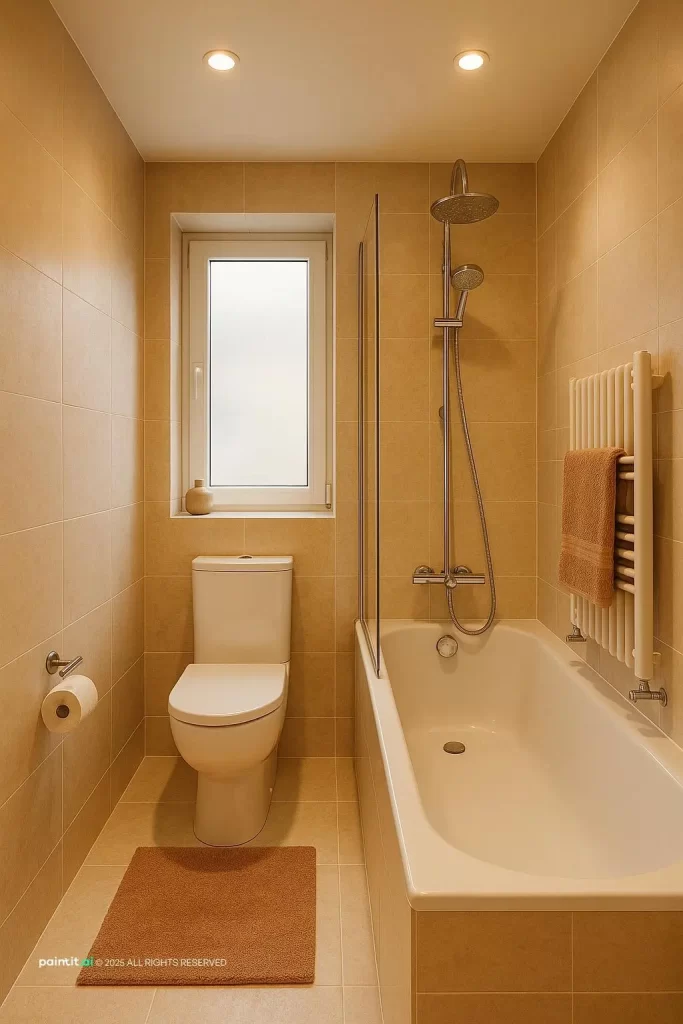
As a designer, realistic renders have always been a big deal to me. Part of my job has always involved creating mock-ups for my clients, because, while I can design a killer room in my head, I also have to sell my vision.
Designing in my mind is one thing, but creating visuals is another. I was trained on SketchUp and rendering software like V-Ray. While they’re powerful tools, they often crash and take forever to produce just one high-quality render.
Nowadays, with the rise of AI room design tools, I’ve moved away from those old-school methods. I’m always looking for the fastest, easiest way to present a compelling, realistic visual to a client. But, it can’t look too AI-generated. You know what I mean. Some AI designs just scream “robot-made,” and I’d never show that to a client.
That’s where Paintit.ai steps in. The renders it produces look impressively real, and of course, I wanted to put that to the test. So let’s try it out and redesign a real space using this tool.
Redesigning a Living Room with AI Room Design
This is one of my client’s living rooms…your typical, average setup, not necessarily curated or designed intentionally.

Let’s see what Paintit.ai can do. When I entered the site, I noticed the layout mimics ChatGPT’s interface, a clever move, since most people are familiar with that format.
I prompted the AI to fully redesign this living room in a French Country Style, since this style is now creeping back in the interior design trend cycle.

It bounced back with a clarifying question before beginning, which really impressed me. I’ve never experienced that level of intuitiveness in an AI tool.
I told the AI: “Please use this photo and redesign it in a French country style. Rustic wood beams would be great, as well as warm colours. Make it an inviting space that’s completely furnished. Keep the same layout.”
Here’s what the AI created:

Wow. What a transformation.
Let’s break it down: the output felt achievable, grounded, and realistic. It kept the same flooring, made a small fireplace alteration, included furniture pieces that are actually findable (more on that below), and even kept the framed sports jersey, which showed the AI picked up on a personal detail. I will minus a point because it did place a window where there wasn’t a window, but that’s the only flaw I see.
Is AI putting my job at risk?
Not quite. Unless this AI starts walking, talking, and complaining about gray vinyl flooring, I think I’m safe. That said, I really liked what this tool produced.
I decided to redesign the space again, but in a vintage style, we know I love a vintage style, so I couldn’t resist. Here is what I got in a few short minutes:

Once again, I’m impressed by the output, this is seriously giving vintage vibes. The only drawback, again, being the addition of a non-existent window. But to be fair, I’d say every AI interior design tool I’ve tested struggles with properly identifying windows, so I won’t hold that solely against this AI!
Plus, I will note that you can ask the AI to remove the window, which is not a feature you can do with every AI. Further proving this AI’s capability of being iterative and intuitive.
AI room design has come a long way, and while there’s still room for improvement, I believe that the more we use these tools, the smarter and more refined they’ll become. That’s the perspective I’m coming from.
That said, I genuinely feel like this design is not only realistic, but it’s achievable.
Shoppable Room Design Tool

Below the render, Paintit.ai suggests items you can actually purchase and incorporate into the space.
In this case, the selections came from IKEA, which is awesome. It’s affordable, globally accessible, and great for getting a design off the ground.
If you’ve followed my AI interior design blog for a while, you know my biggest gripe with AI tools is that they often don’t connect the dots beyond the pretty picture. But this tool? It’s more intuitive. It gives you a direction.
Now — let me be real — the IKEA pieces didn’t perfectly nail the French country vibe. Plus, you’d still have to consider dimensions, styling, and coordinating pieces, but it’s a great jumping-off point for sourcing.
My personal rule: aim for 2–3 viable options for each piece in a room. Paintit.ai can definitely help kick off that sourcing process.
What Sets This AI Room Design Tool Apart?

So, I know what you’re thinking (well, maybe):
“With all the AI design tools you’ve reviewed, Daniela, aka the queen of AI Interior Design, what makes this one different?”
Here’s the thing: Paintit.ai feels more intuitive than others I’ve tested. The designs are grounded in reality. They don’t look like fantasy spaces that could never be recreated. Plus, it helps you source the actual items.
I also love the user interface:
- The AI asks smart, clarifying questions
- It keeps a chat log so you can return to previous designs
- It doesn’t have a steep learning curve
USE CODE SBD20 AT CHECKOUT —> Paintit.ai
I also think the Pinterest integration is absolutely ingenious! As a designer, pretty much every client of mine sends me a Pinterest board. So, I know many folks will love the feature of being able to style their space in the style of their Pinterest inspo.
So, if you’re looking for realistic outputs, an intuitive design flow, shoppable suggestions, and a tool that doesn’t feel overwhelming, I highly recommend Paintit.ai.
Happy designing!
Click Here To Shop My Favourite Home Goods
Let’s design your space together, virtually.

This post is sponsored by Paintit.ai, but all opinions are 100% honest and entirely my own.