The Best Nano Banana Pro Prompts For Interior Designers
What a week in AI news! Between Google releasing Gemini 3, Nano Banana Pro dropping massive upgrades, and OpenAI rolling out ChatGPT-5.1, it feels like the industry got a huge boost. This might mark the week when we finally become unable to distinguish between AI and real photos. Now, that sounds dramatic—and well, it is.
I immediately hopped on Nano Banana Pro to see how interior designers could use this powerful tool to elevate their design game, and let me tell you, I am excited to share the results.

AI That Clears Furniture From a Photo
If you are an e-designer, AI will likely become your best friend (if it hasn’t already). Why? Because when you offer online interior design services—as I do—you rely entirely on your clients for photos of their space. Let’s be real: most people do not put much care into taking these photos. Often, I receive blurry, uncentred shots crammed with existing furniture and clutter. These are less-than-perfect starting points for a professional design.
This is where Nano Banana Pro comes in.
Recently, I started a project with a client who sent me a photo of her office that looked like this:
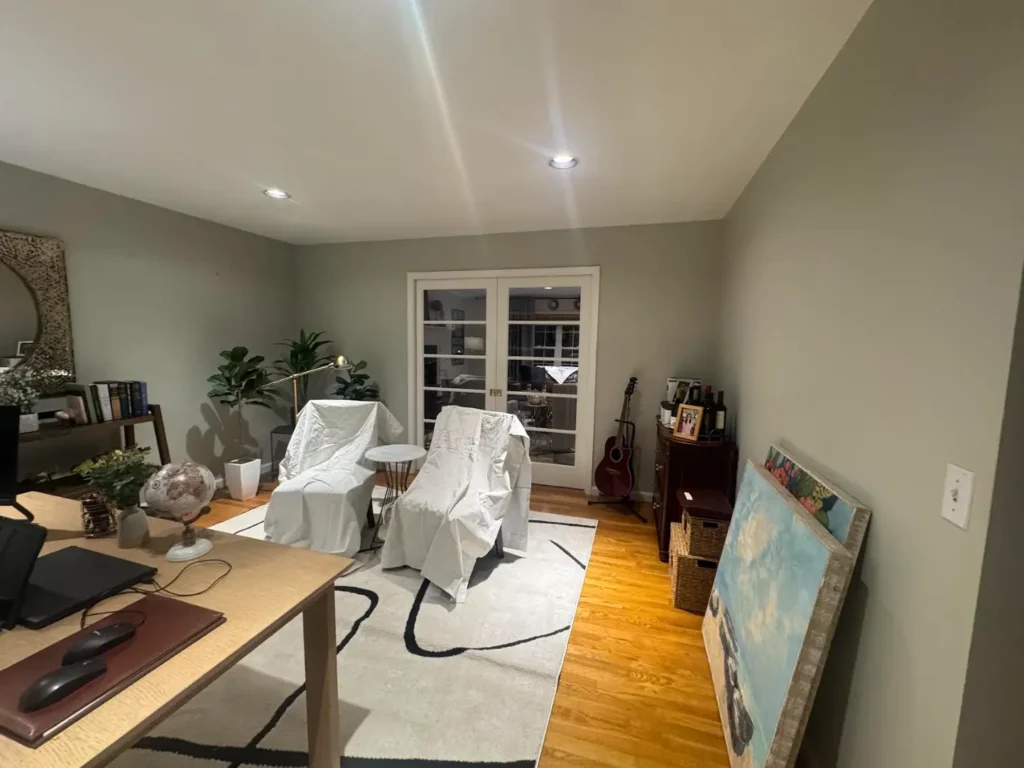
As you can see, I couldn’t use this as a clean backdrop for a mockup. So, I decided to test if Nano Banana Pro could remove all the furniture while keeping the architectural integrity of the room—without making it look like grainy “AI slop.”
Here is what I got:
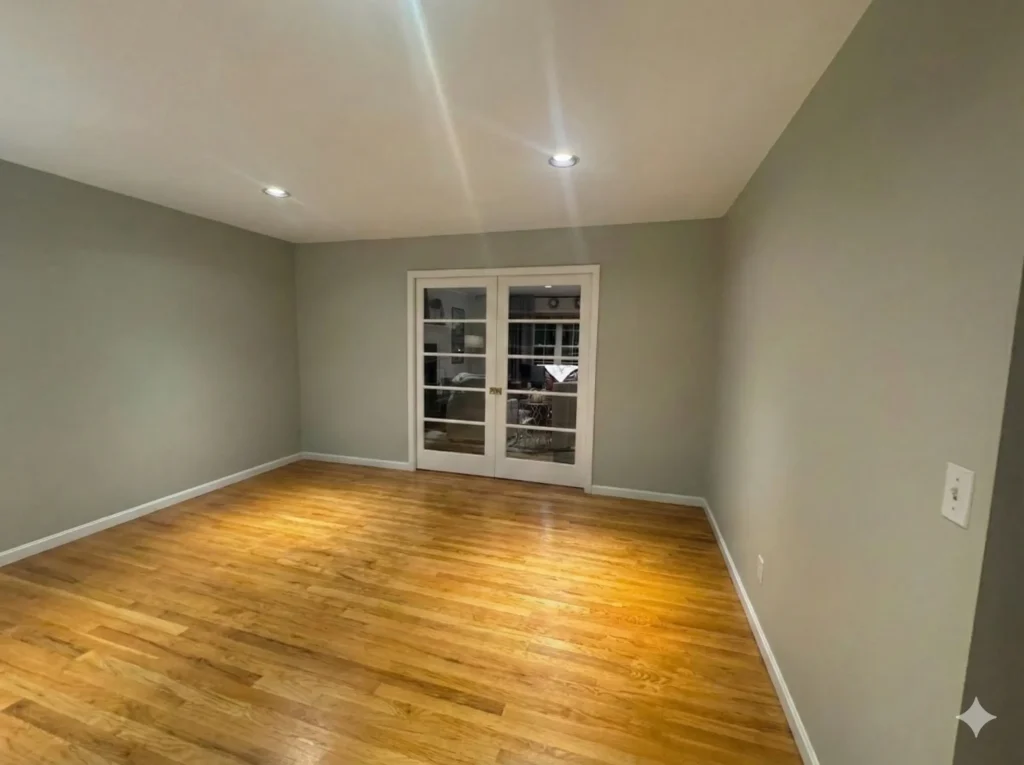
Boom! This is a game-changer for e-designers, and even for full-service designers who want to create mockups on a clean, accurate backdrop of their client’s actual space.
I was thrilled with this result, so I decided to take it a step further to see how Nano Banana Pro handled adding new furniture to this blank slate.
Nano Banana Pro Furniture Prompts
First, I kept it simple and asked Nano Banana Pro to add a few art pieces on either sides of the French doors and add a round mirror and console table to the adjacent wall. Here is the result:
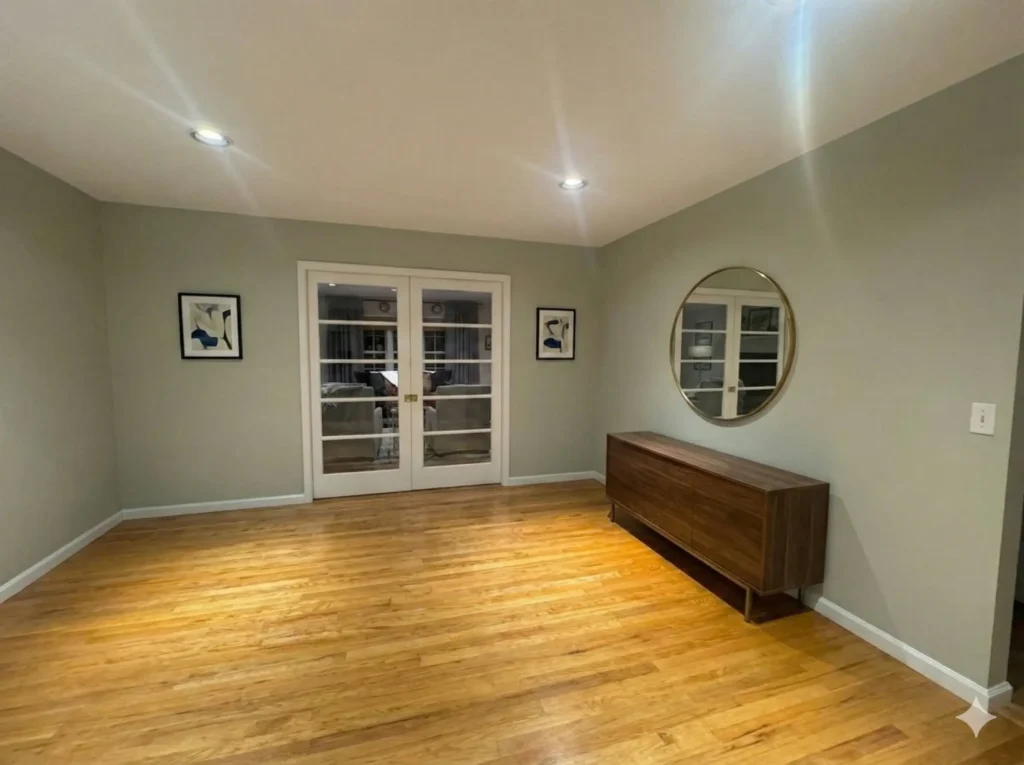
Now, this is pretty impressive. Honestly, I can’t even detect that this is AI. I would really struggle to distinguish that this was AI generated. This looks like a photo you’d see in a house listing. However, this was a pretty simple prompt.
Let’s see how good Nano Banana Pro can really furnish.
Next, I actually uploaded some furniture finds from Amazon and asked it to create an office design. Here is what I got.
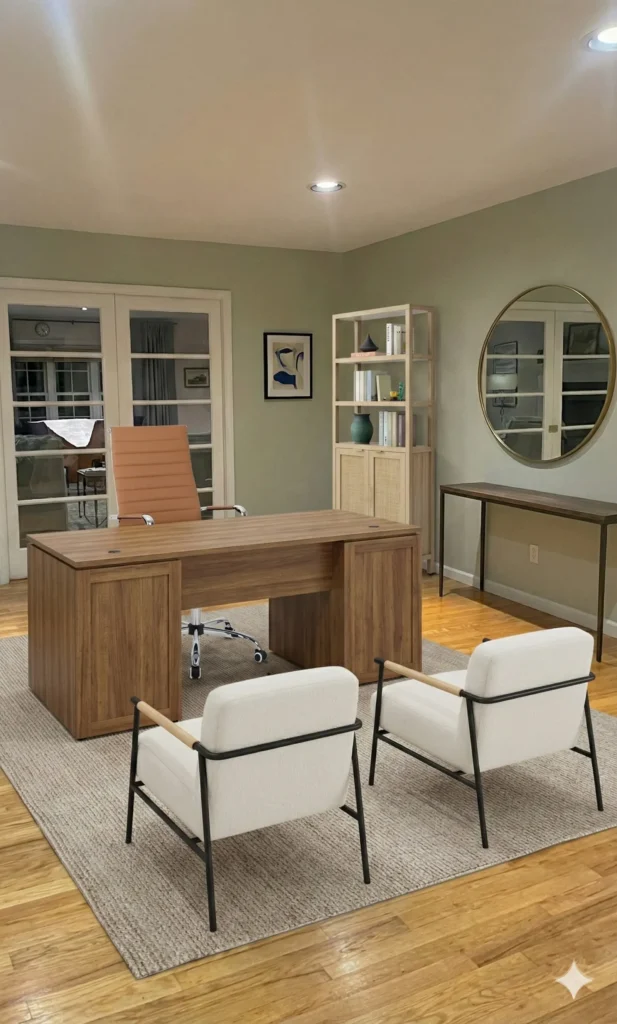
Now, this output is one that looks a little too AI-ish. However, it’s not bad.
Next, I decided to see how well Nano Banana Pro could improve a poorly done interior mock-up. My reasoning for this is well, some designers may not be the most skilled at creating mock-ups, so this means that AI could be an invaluable tool, IF it can fix your mock-up errors.
Testing Nano Banana Pro To Fix a Poor Quality Visual
Here is the poorly done mock-up, with the same Amazon home finds, and it is a different angle of the same office.
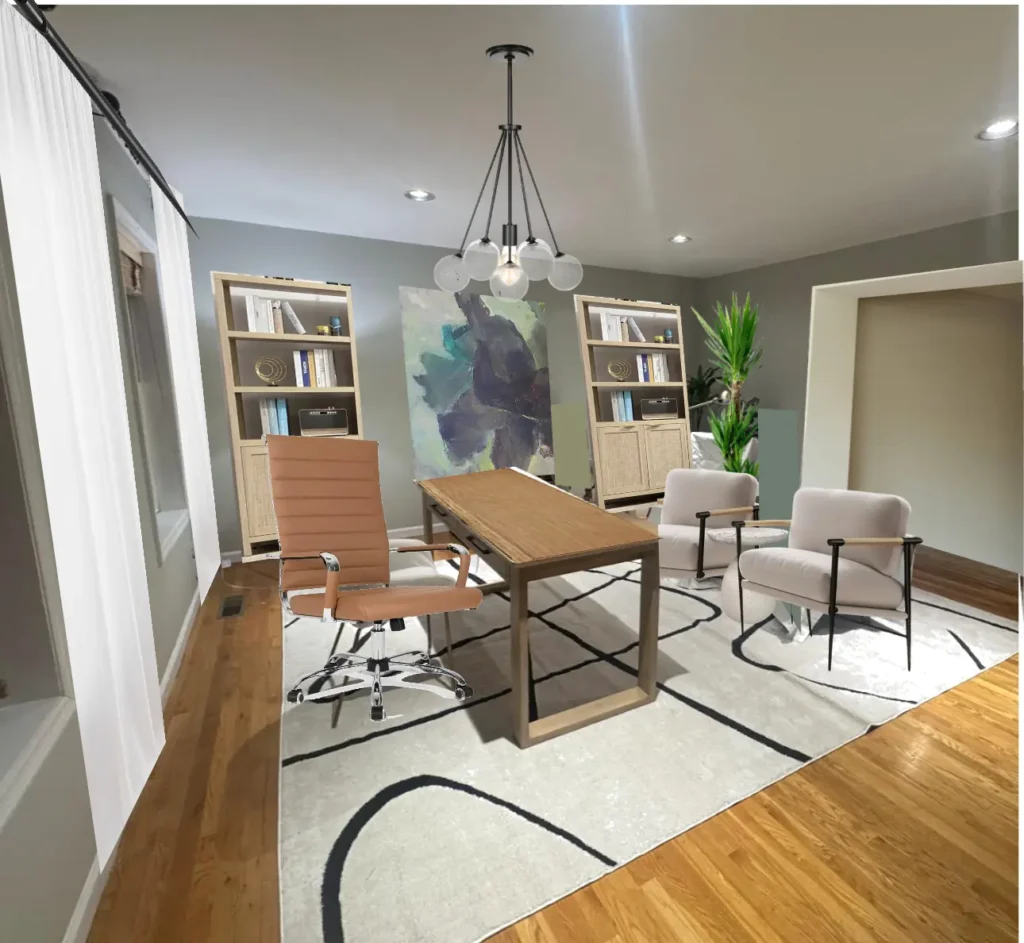
Now, as you can see, this visual is terrible, and unless you had the Photoshop skills of a ninja, there is no saving this room visual.
Here is what Nano Banana Pro spit out:
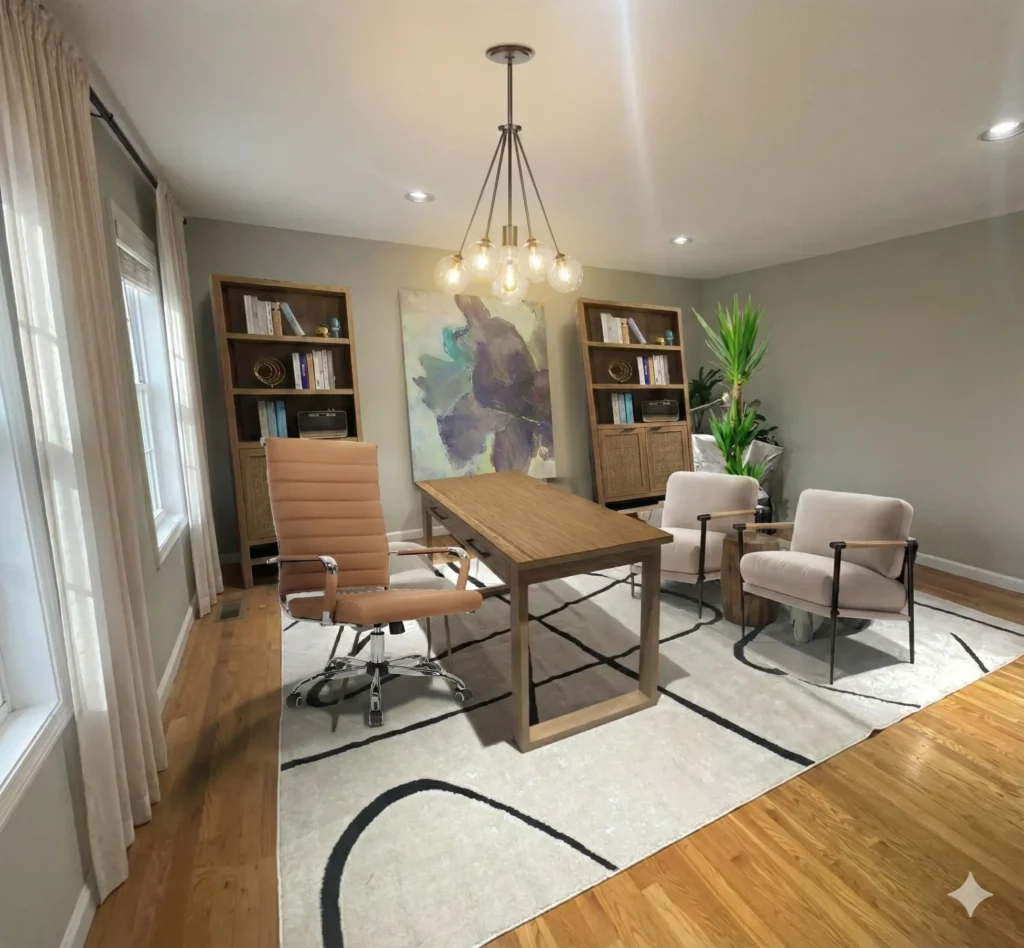
The results? Okay, honestly, not bad. Certainly, not perfect, however, considering I used a very choppy test photo I am pretty impressed by Nano Banana’s ability to fix a bad room visual.
Now, what about mood boards, us interior designs still use those to present materials and concepts to clients. Can Nano Banana Pro improve mood boards or create mood boards like Midjourney?
Nano Banana Pro For Interior Design Mood Boards
I prompted Nano Banana Pro with Create a mood board that is a Scandinavian style, with light oak wood, taupe, black fixtures, beige, and textured accents…
And, here is the result:
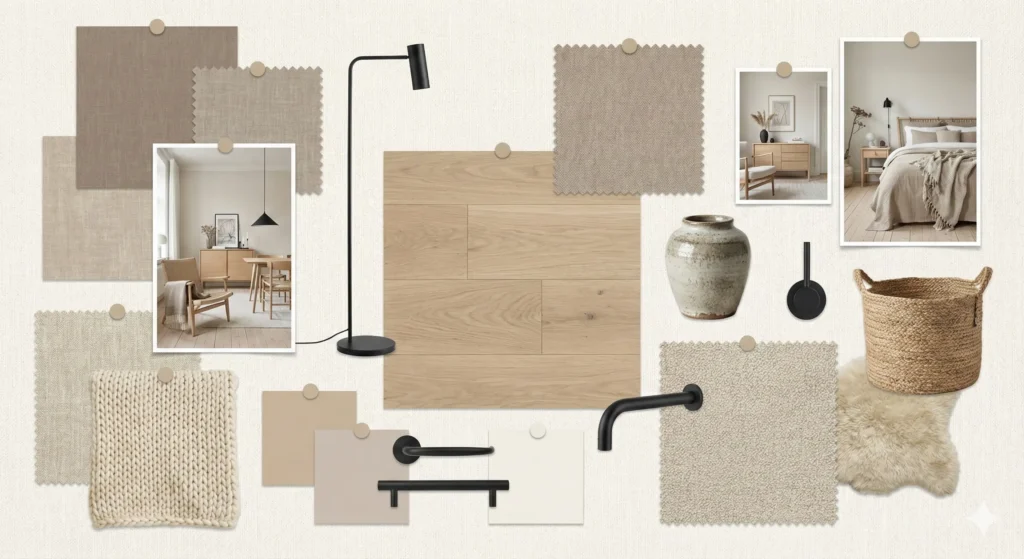
Honestly, it’s a pretty nice mood board. It definitely captured the vibe. It does look a little generic, however, it gets the point across, so I cannot knock off points.
Now, let’s see how this AI improves a mood board that is already created.
I will test this out with this mood board:
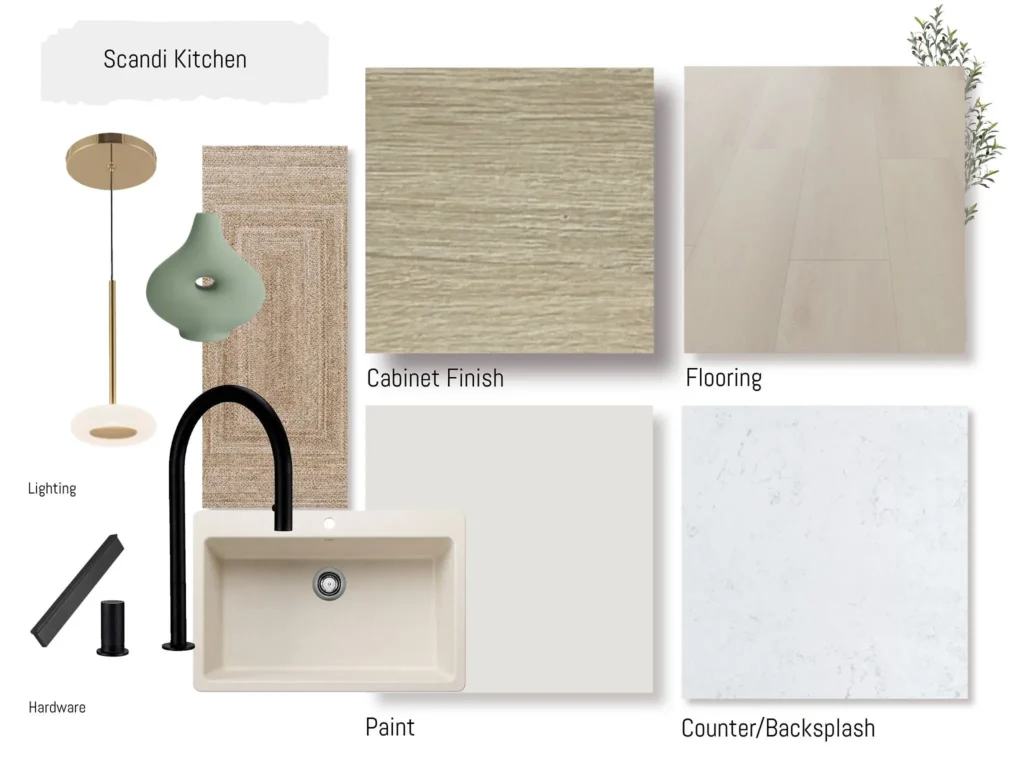
Now, this is a pretty basic mood board, that I would not say is bad, and would not say it’s stellar.
Here is the output that popped out:
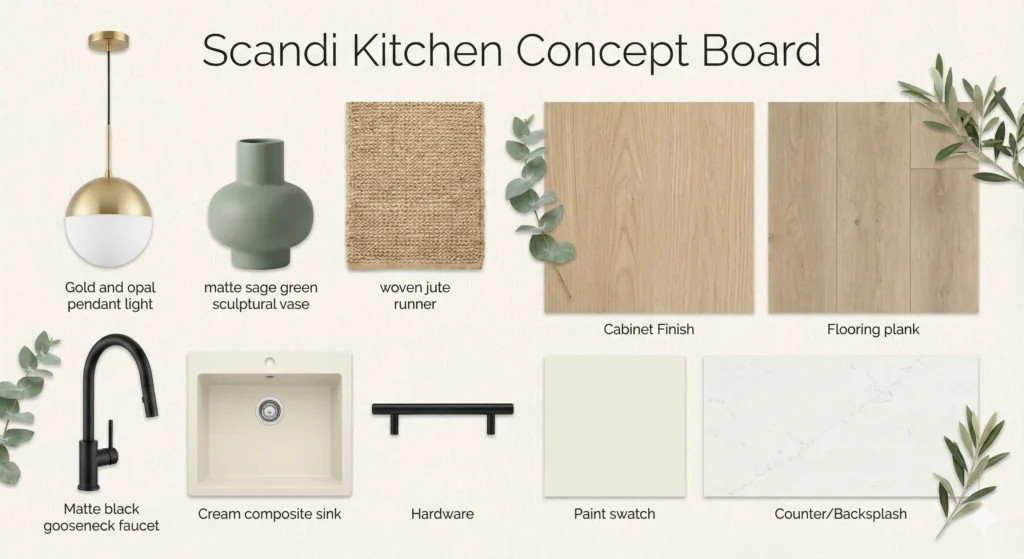
It seems like Nano Banana Pro has a certain style to their mood boards, and I would say that it created a nice looking mood board, but nothing overly impressive. I think Midjourney takes the cake when it comes to AI generated interior design mood boards.
In my previous article on Nano Banana I tested out the AI’s ability to generate interior images from text, and the ability to change up colour schemes in a space. Click to read more on Nano Banana’s interior design capabilities.
Game Changing Prompts For Designers
Now that I have tested this AI update, what is the verdict? How has Google’s new super-powered tool impacted the interior design game?
In my opinion, Nano Banana’s ability to remove furniture and items from a room while preserving the integrity of the space—without it looking “AI-ish”—is a GAME CHANGER. This is a feature that countless interior designers will utilize, as it simply makes our lives easier.
I love Nano Banana Pro for this feature alone. The fact that it is included in a Google Workspace subscription alongside Gemini makes this an amazing, high-value package for designers to integrate into their workflows.
I also appreciate Nano Banana’s ability to take direction when adding furniture pieces to a space. While the AI isn’t perfect at this yet, it is pretty impressive and certainly one of the better tools out there for interior design.
Finally, I love that Nano Banana Pro can salvage poor-quality photos and mock-ups. Let’s face it: we often have to work with less-than-perfect images. Being able to quickly upload a visual and create something impressive for a client is a massive win.
Click Here To Shop My Favourite Home Goods
Let’s design your space together, virtually.